These are real screens from the app, not mockups. Here's how syncallin actually takes a product from your catalog to a customer's doorstep — one reliable step at a time.
If you sell Transparency-enrolled products, every unit needs its own unique code on its label, matched to the right product and the right marketplace. syncallin manages that whole chain, so a code is never lost, reused or printed on the wrong product.
Transparency tools are included from the Growing plan. See plans
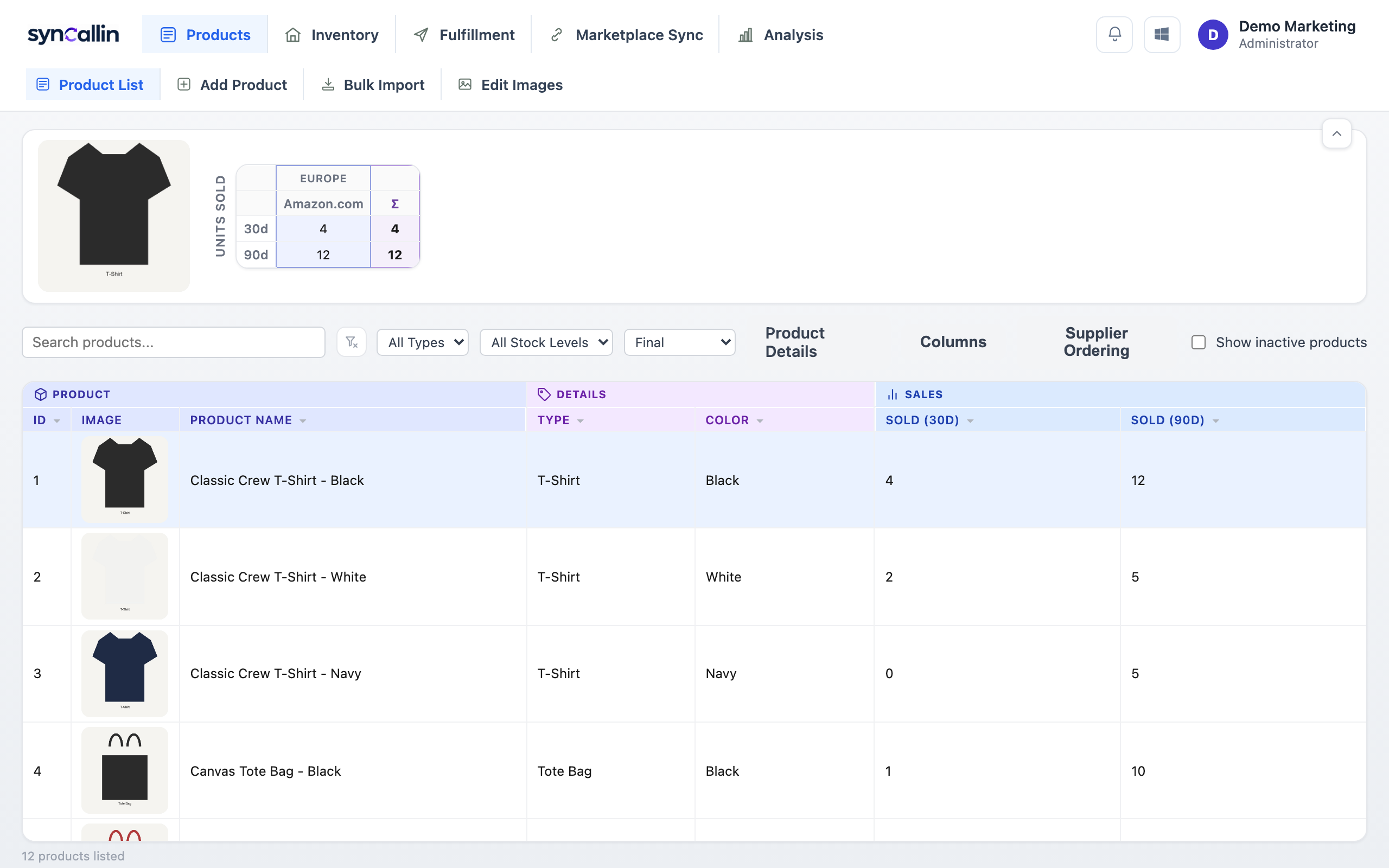
Every product lives in one place — photo, ASIN/SKU/FNSKU, supplier, custom fields, and per-marketplace listing details — instead of scattered across spreadsheets that quietly drift out of sync with each other.
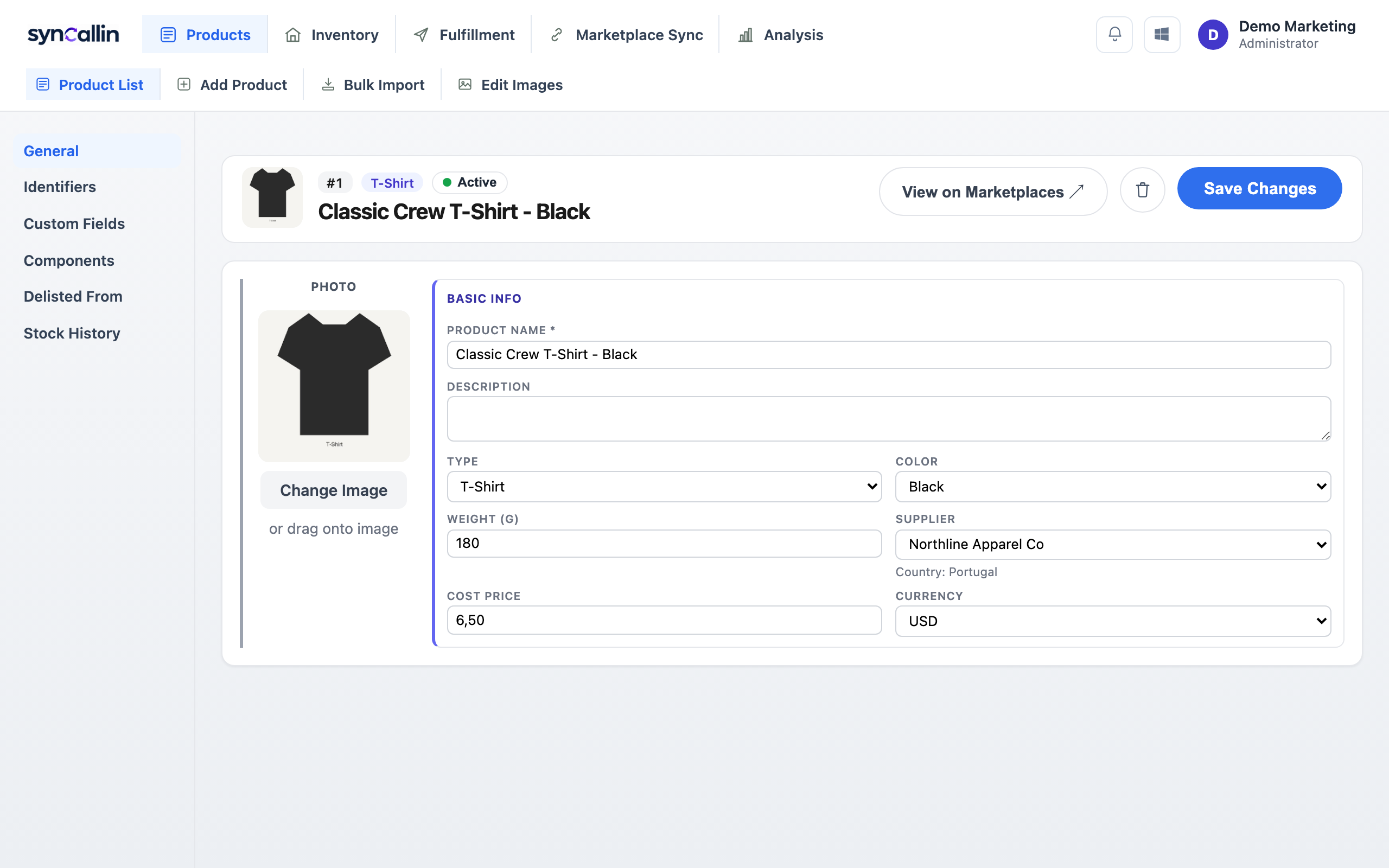
Identifiers, custom fields, packaging, components, delisted regions, barcode setup — each product's full picture lives behind one page, organized into tabs instead of one long, overwhelming form.
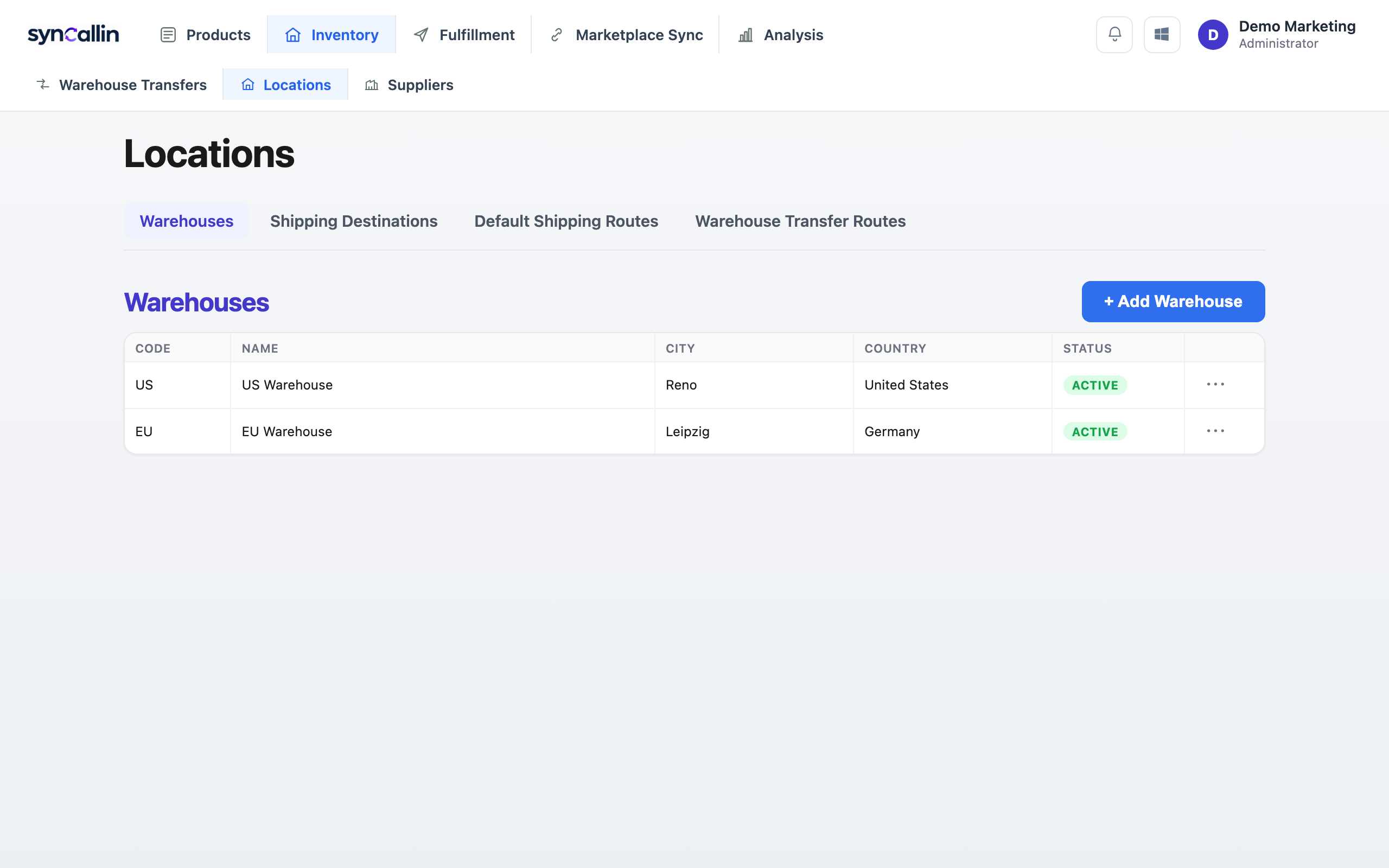
Every warehouse keeps its own count. Dispatch a transfer and the sending warehouse's stock drops the moment it goes out; receive it and the destination's stock rises the moment it lands — no manual reconciliation, no spreadsheet math.
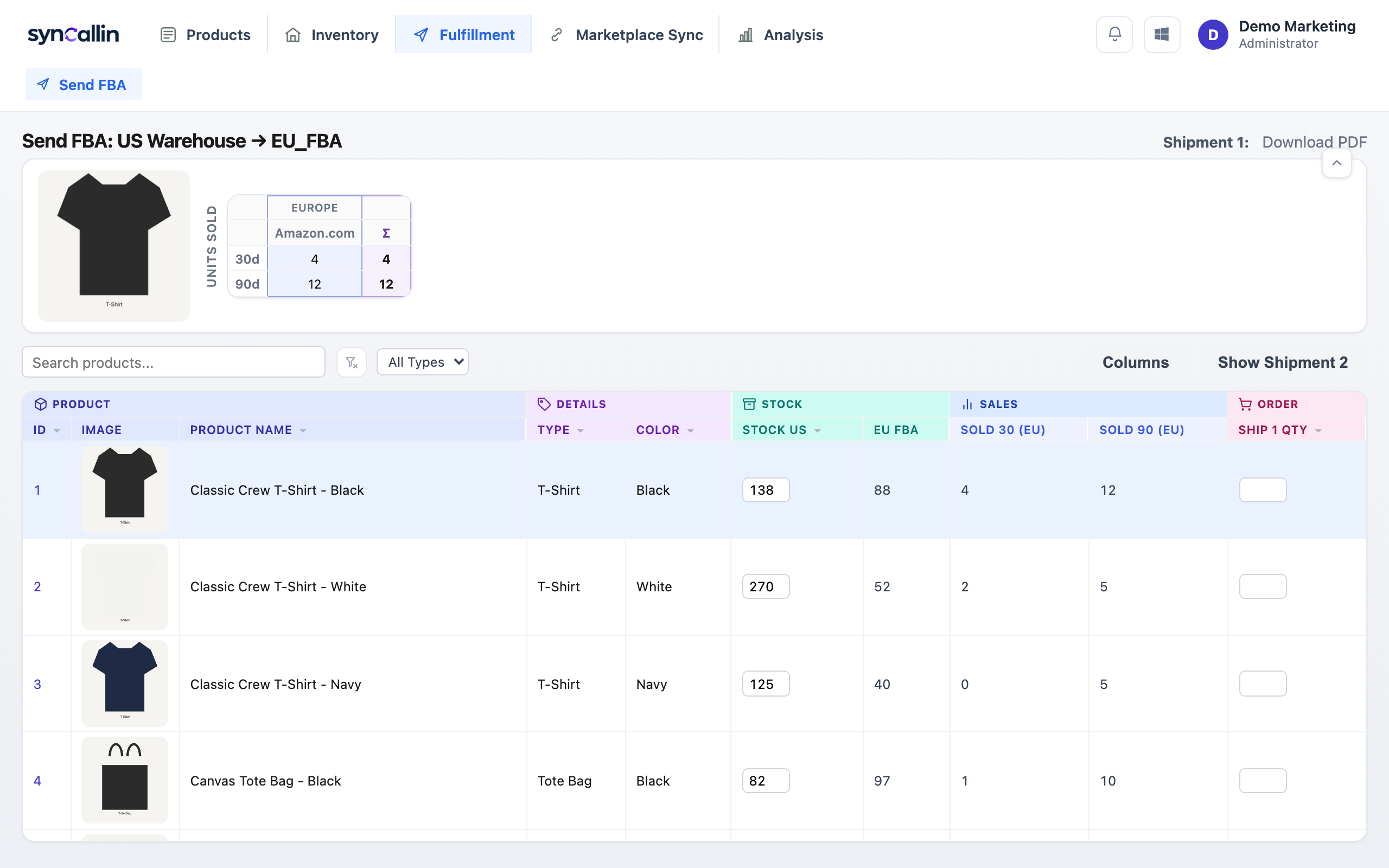
Pick the route — which warehouse, which destination — and build the shipment right there: current stock, recent sales, and quantity to send, all in the same table. Everything is cross-checked before it's committed, so a shipment doesn't go out short, or with a mismatched identifier.
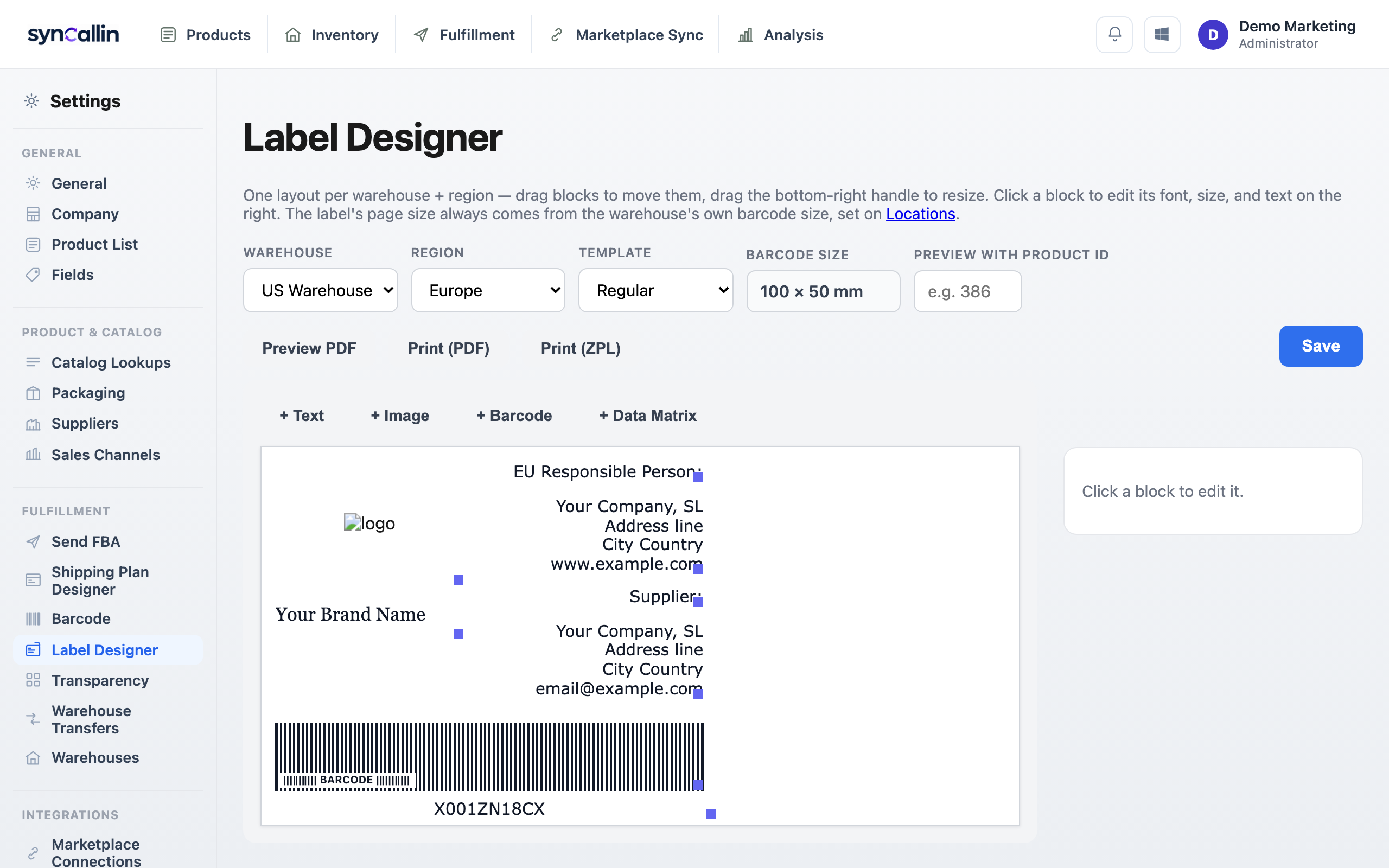
Design a label layout once per warehouse, then print straight from the app: regular product barcodes for everyday stock, and Amazon Transparency QR codes for enrolled products — no third-party label tool, no manually looking up a code before printing it.
Nothing moves through syncallin unchecked. Stock only ever changes because a real action happened — a transfer dispatched, a shipment sent, a receipt confirmed — and every import from a marketplace file is cross-checked against its own ASIN, SKU, and FNSKU data before it's allowed to touch your records.
Free to start. Your workspace begins completely empty, ready for your own products and warehouses.
Create Your Account